
Anime Dice Tools
Checklists you can run on a second account without opening a risky executor.
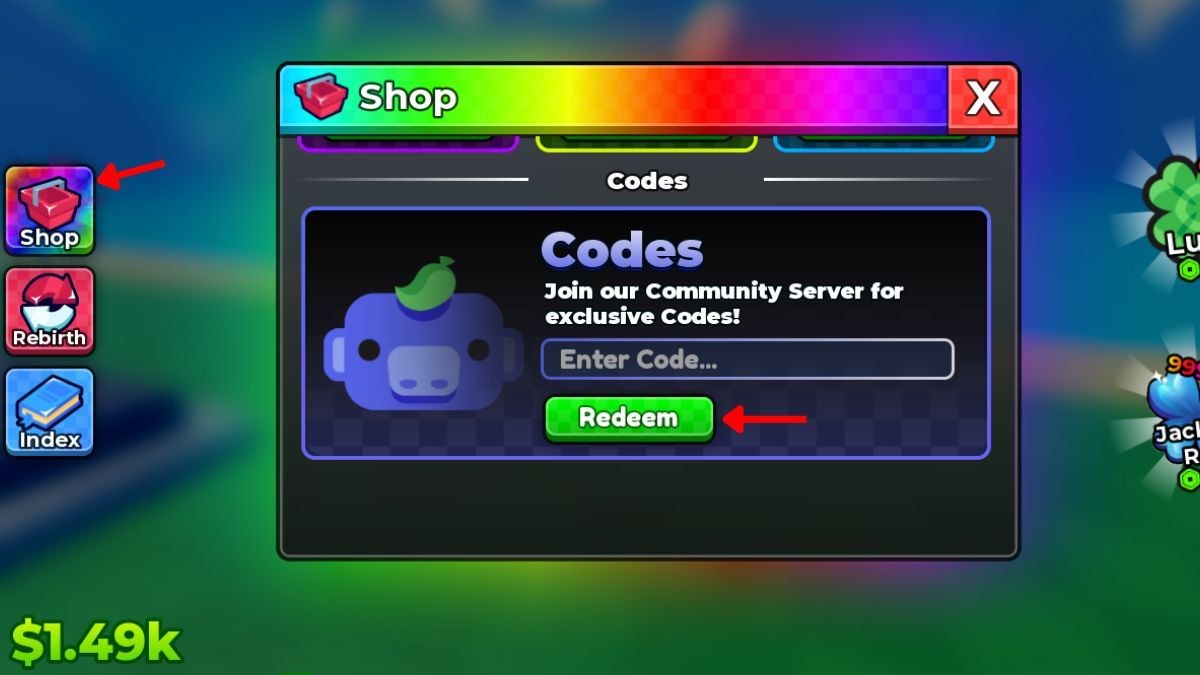
Not every “tool” has to be a calculator overlay. Anime Dice is simple enough that two checklists beat a fake DPS sim. This hub collects them. Use the codes checklist when you spin up an alt or after a numbered patch. Use upgrade priority when cash is burning a hole and you cannot decide between a dice node, a Grade step, and the Rebirth button.
These pages are text on purpose. They will not ask for a Roblox cookie. They will not auto-click Shop. If you wanted that, read script safety first and then come back.
Codes checklist
A live run of UPDATE2, UPDATE1, and RELEASE plus the Shop click path. Print it mentally: Shop → Codes → paste → Redeem → next string. Details: codes checklist. The numbers and rewards still live on the codes hub so we only update one table when a string dies.
Upgrade priority
A fork: empty pads? Place. No keeper? Spin. Cheap luck node? Buy. Gems idle? Grade. Node insulting? Rebirth. That is the whole decision tree, written with the current Update 2 currencies in mind. Open upgrade priority.
What we will not ship
- A luck percentage calculator that invents 1-in-9,342,584 math we cannot verify.
- A unit DPS sheet for a game with no combat.
- An executor GUI.
- A fake pity tracker. There is no published pity.
If More & More Games ever publishes exact tables, they will land on rarity value and this hub will link them. Until then, tools here are operational, not oracular.
How to use tools during a session
Keep the checklist on your phone while Shop is open on desktop. Keep upgrade priority open when the next dice node looks expensive. After you follow either list, return to a real guide: getting started for new plots, rebirth for prestige, best units for Gem targets.
Related hubs
- Guides — the long versions of these lists.
- Updates — when a patch invalidates a step (new code, new rebirth gate).
- Scripts — if you arrived looking for macros instead of checklists.
Tools should make the next click obvious. If a page feels like lore, you are in the wrong hub — go back to how to play.
Frequently Asked Questions
Quick answers to the most common questions.
Is there a luck calculator for Anime Dice?
No verified public table beyond the banner odds line. Use upgrade priority instead of fake math.
What tool should I open after a patch?
The codes checklist, then the updates hub to see if rebirth gates moved.
Do these tools need my Roblox login?
No. They are checklists. Anything that asks for a cookie is not from this wiki.
Where is the live code table?
On the codes hub. The checklist only tells you the order to redeem.